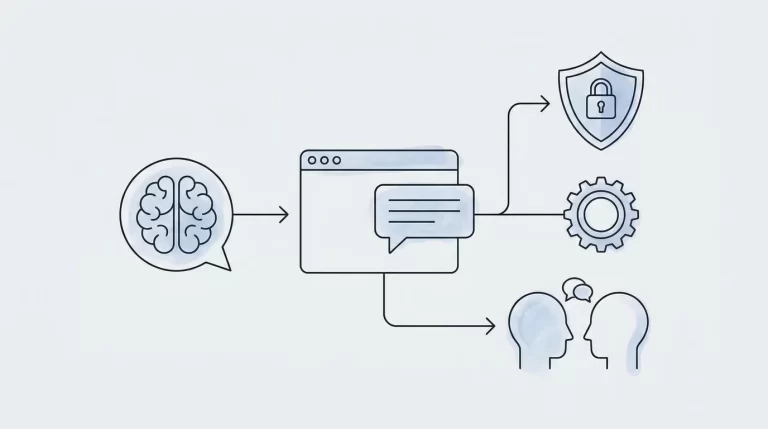
AI automation for small businesses works best when it removes a specific operational bottleneck, not when it adds another tool to manage. For small and medium-sized teams, the strongest starting points are repetitive tasks involving messages, documents, and information retrieval. The following ideas show what to automate, where human judgment still matters, and how to start without redesigning your entire business.
1. Choose a Workflow Before Choosing a Tool
Start by identifying work your team repeats every week: sorting inquiries, copying invoice details, preparing meeting summaries, or checking order updates. A useful candidate has a clear trigger, accessible inputs, and an output someone can verify. Avoid starting with a process that is already inconsistent or poorly understood.
Separate ordinary automation from tasks that actually need AI. Sending a reminder when an invoice reaches its due date is rule-based automation. Understanding an email that asks for a payment extension may require AI to classify the request and draft a response. Combining these approaches is often more useful than making every step AI-driven.
Write down the current process, including exceptions and ownership. Record how much staff time it requires and what mistakes occur. This gives you a baseline for judging whether the automation improves the workflow rather than simply making it look more sophisticated.
2. Triage Customer Support and Draft Replies
A shared support inbox is a practical starting point. AI can classify incoming messages by topic, identify missing information, and suggest replies based on approved policies. A retailer might separate delivery questions from returns, while a service business could distinguish booking requests from technical problems.
The workflow should retrieve relevant information before drafting an answer. For example, a delivery inquiry may require an order status from your commerce platform. Without that connection, the system should ask for clarification or hand the message to an employee rather than invent an update.
Begin with draft-only assistance, where staff approve every response. Consider automatic replies later for narrow, well-tested cases. Route complaints, refund exceptions, and sensitive requests to a person. Make escalation easy, and check samples regularly for accuracy, tone, and whether the answer actually resolves the customer’s question. Speed is useful only when the response is dependable.
3. Turn Inquiries Into Organized Sales Follow-Up
Small teams often lose momentum between receiving an inquiry and recording it in a customer relationship management system. AI can extract a prospect’s name, company, requested service, timeline, and stated requirements from a form submission or email, then prepare a structured lead record.
A useful workflow checks for an existing contact before creating a new one, flags missing details, and assigns the inquiry using agreed routing rules. It can also draft a personalized acknowledgment or suggest questions for the first conversation. For a website project, those questions might cover integrations, content responsibilities, and launch constraints.
Keep qualification transparent. Use criteria your team understands, and do not let an unexplained score decide which prospects deserve attention. Staff should approve proposals, pricing, and commitments. Track response time, record completeness, and follow-up completion to see whether the process helps people move inquiries forward without introducing duplicate records or awkward messages.
4. Extract Information From Invoices and Documents
Document processing is another practical use of AI automation for small businesses. A system can read supplier invoices, extract fields such as invoice number and due date, and prepare entries for review. Similar workflows can organize purchase orders, receipts, or onboarding documents.
Extraction should be followed by validation. Check that required fields exist, totals reconcile, and the supplier matches an approved record. Flag duplicate invoice numbers and unexpected bank-detail changes rather than treating every readable document as trustworthy. Documents with unclear scans or unusual layouts should go into an exception queue.
For example, an office manager could receive a draft accounting entry alongside the original invoice and highlighted uncertainties. That is more useful than an opaque entry created without context. Keep payment authorization separate from extraction, restrict access to financial documents, and retain a record of what the system proposed and what an employee ultimately approved.
5. Repurpose Approved Content Into Marketing Drafts
AI can reduce the repetitive work involved in turning one useful piece of content into several formats. An approved article, product brief, or webinar transcript can become draft social posts, an email introduction, and a shorter website summary. The source material should remain the reference point for every version.
Give the workflow clear instructions about audience, tone, terminology, and prohibited claims. Include examples of your brand’s writing, and require the system to flag missing facts rather than fill gaps with plausible details. Someone should check product descriptions, availability, and customer examples before publication.
A practical setup creates drafts in your existing editorial workflow instead of publishing automatically. Assign an owner and approval status to each item. This keeps content production organized without flooding channels with repetitive material. Measure editing effort and usefulness, not simply how many posts the system generates in a week.
6. Help Staff Find Answers in Internal Knowledge
An internal AI assistant can help employees locate procedures, service documentation, and project information without searching through multiple folders. For example, a new team member might ask how to prepare a client handover and receive a summary grounded in your approved checklist.
The important work happens before the chat interface. Remove outdated documents, identify authoritative versions, and assign owners to keep them current. Configure the assistant to show which internal documents support its answer and to acknowledge when the available material does not answer the question.
Permissions must follow existing access rules. Someone allowed to read onboarding guidance should not automatically gain access to payroll or confidential client files. Test questions that cross those boundaries before rollout. Also provide a way to report incorrect answers so document owners can fix the underlying information. A smaller, maintained knowledge collection is usually a better starting point than an unfiltered archive.
7. Summarize Operational Exceptions for Review
AI can turn operational data into a readable daily briefing. Instead of asking employees to inspect several dashboards, a workflow can summarize overdue orders, unresolved tickets, stock exceptions, or projects awaiting approval. The aim is to direct attention, not replace the underlying records.
Use deterministic rules to identify exceptions, then let AI explain them in plain language. For instance, your inventory system might flag an item below its reorder threshold; AI can summarize the affected orders and draft a supplier inquiry. Keep quantities and calculations in validated systems rather than relying on generated text.
Every briefing should make the next action clear: investigate, contact someone, or approve a proposed step. Include record identifiers so employees can verify details. Avoid automatic purchasing or schedule changes during the pilot. First establish that the summaries consistently highlight real issues without hiding urgent exceptions among routine updates.
8. Run a Small Pilot With Clear Safeguards
Choose one workflow, one accountable owner, and a limited set of users. Define success before deployment: fewer manual touches, faster processing, or fewer incomplete records. Include review time, software costs, and maintenance effort when evaluating the result.
Map which data enters the system, where it is stored, and who can access it. Review provider settings and retention terms before using confidential information. Test routine cases alongside missing fields, contradictory instructions, and malicious text inside incoming documents. External content should be treated as data, not permission to change the workflow.
Build a manual fallback and a way to pause automation. If the pilot proves useful, expand gradually into connected processes. Codeopera designs and builds custom websites, apps, and AI solutions; a custom integration may fit when existing tools cannot support your workflow. Start with the business problem, then choose the simplest reliable implementation.