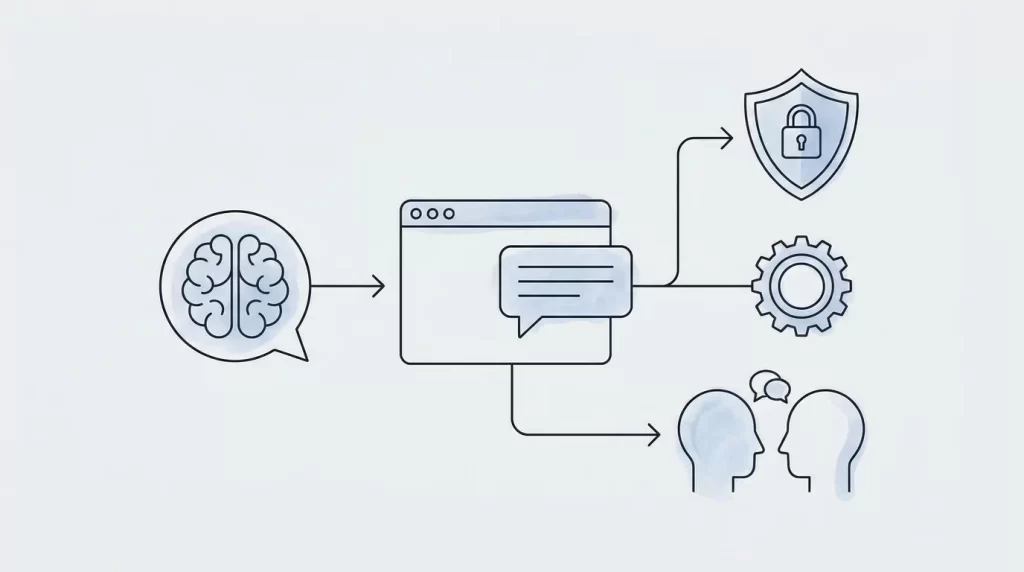
A website chatbot can answer product questions, guide visitors toward relevant services, and collect enquiries outside your team’s working hours. However, successful AI chatbot integration requires more than adding a chat widget. You need a defined purpose, trustworthy information, secure connections, and a practical plan for ongoing improvement.
1. Define the Chatbot’s Job Before Choosing Tools
Start with a business problem rather than a technology preference. Review recurring support requests, sales questions, and points where website visitors get stuck. Choose one focused use case for the first release, such as explaining your services, helping customers find products, or qualifying project enquiries.
Write down what the chatbot should accomplish and what it must not do. A service-business assistant might explain project stages and collect requirements, but should not promise a delivery date or invent a price. An online shop assistant might explain published return policies without independently approving refunds.
Define success using observable outcomes: relevant enquiries submitted, questions resolved without escalation, or visitors reaching the right product page. Establish a baseline before launch so you can compare results meaningfully. Assign an owner who can approve content, review failures, and coordinate changes. Without clear ownership, even a well-built assistant can gradually become unreliable.
2. Choose the Right Integration Approach
Your options usually include a hosted chatbot platform, a website plugin, or a custom application connected to a model provider. Hosted platforms can simplify setup and maintenance. Plugins may suit a straightforward WordPress deployment. Custom development offers more control over the interface, business logic, data access, and connections to existing systems.
Compare options against your actual requirements. Check whether each supports your content sources, human handoff, conversation review, access controls, and data-retention preferences. Understand how usage is billed, including model requests, retrieval, and any platform limits. Confirm that you can export essential configuration and content if you change providers.
Your website architecture also matters. A restrictive template may make deeper integration harder, while a custom build can accommodate tailored workflows. Codeopera’s guide to custom websites versus templates provides useful context when deciding how much flexibility your business needs.
3. Prepare a Reliable Knowledge Base
The assistant’s answers depend on the information it can access. Gather approved service descriptions, product details, delivery information, support documentation, and relevant policies. Remove outdated material, resolve contradictions, and make sure each source has someone responsible for keeping it current.
Organise content into clearly labelled topics rather than uploading an unreviewed collection of documents. For example, separate installation guidance from warranty terms so the assistant can retrieve information matching the visitor’s question. Keep internal notes, confidential pricing, and customer records out of public-facing knowledge sources.
Many implementations use retrieval-augmented generation: the system retrieves relevant source material and supplies it to the model before generating an answer. This can improve grounding, but does not guarantee accuracy. Instruct the chatbot to acknowledge missing information rather than guess. Test questions with ambiguous wording, and ensure policy changes trigger a refresh of the searchable content.
4. Design a Helpful, Accessible Conversation
The chat interface should fit your website without interrupting its primary purpose. Use a clearly labelled launcher, keep it away from important mobile controls, and avoid automatically opening a large panel over the content. Visitors should be able to dismiss it easily.
Introduce the assistant honestly. Explain that it is AI-powered, describe what it can help with, and offer a visible route to a person. Suggested prompts such as “Which service fits my project?” help visitors start a useful conversation without needing to understand the underlying technology.
Design for accessibility from the beginning. Check keyboard navigation, visible focus states, readable contrast, and screen-reader announcements for new messages. Preserve conversation context when appropriate, but explain whether it persists between visits. Keep responses concise and give visitors a clear next step. A helpful answer followed by one relevant action usually beats a long, unfocused sales pitch.
5. Connect Business Systems Through a Secure Backend
A basic assistant may only need approved website content. More advanced workflows can connect to your CRM, booking system, product catalogue, or support platform. Add these connections only when they serve a defined customer need, rather than giving the chatbot broad access by default.
Keep model-provider credentials and integration secrets on the server, never in browser code. Use a backend layer to authenticate requests, enforce permissions, validate inputs, and limit request volume. Treat model-generated tool requests as untrusted proposals that your application must check before execution.
Separate reading information from changing it. Showing available appointment slots is different from booking an appointment; explaining an order status requires verifying the customer’s identity. Ask for confirmation before consequential actions, and verify authorisation independently of the conversation. Start with narrow permissions and expand only after testing. If a connected service fails, provide a clear fallback rather than implying the action succeeded.
6. Build Privacy and Safety Into the Workflow
Map where conversation data travels, which providers process it, and how long it is retained. Review provider settings and contractual terms rather than assuming every service handles data identically. Explain the chatbot’s data practices in language visitors can understand and update your privacy information accordingly.
Collect only what the workflow needs. A project enquiry may require a contact address and brief description, not sensitive documents. Warn visitors against sharing passwords or payment-card details. Restrict staff access to conversation logs and redact sensitive information where practical.
Plan for prompt injection: visitors or retrieved documents may contain instructions designed to override the assistant’s intended behaviour. Keep trusted instructions separate from external content, validate tool inputs, and enforce permissions in application code. Instructions alone are not a security boundary. Establish a response process for inappropriate answers, suspected data exposure, and requests the assistant cannot safely handle.
7. Test Thoroughly and Launch in Stages
Create a test set based on real customer questions before opening the chatbot to everyone. Include straightforward enquiries, misspellings, incomplete requests, conflicting information, and topics outside its scope. Review whether answers are accurate, useful, appropriately limited, and consistent with your approved sources.
Test entire workflows, not just individual replies. Confirm that enquiry details reach the correct system, booking confirmations match actual reservations, and human handoff preserves useful context. Check behaviour when a provider times out, a visitor loses connectivity, or a conversation becomes unusually long.
Launch first with staff or a limited audience, then expand once serious issues are addressed. Monitor mobile performance and ensure the widget does not unnecessarily delay essential page content. If implementation coincides with broader site changes, use Codeopera’s website redesign checklist to keep performance and existing search visibility part of the release process.
8. Measure Results and Improve Continuously
After launch, review outcomes rather than celebrating conversation volume alone. Track whether visitors complete useful actions, receive correct answers, or reach human support when needed. Monitor unanswered questions, failed integrations, response times, and operating costs alongside your original success criteria.
Review representative conversations regularly, with appropriate privacy safeguards. Look for repeated confusion, outdated information, and answers that sound confident without adequate support. Fix the underlying source or workflow rather than adding increasingly complicated instructions to compensate for poor content.
Keep a regression test set and rerun it when changing models, prompts, knowledge sources, or connected systems. Maintain a fallback contact route if the assistant is unavailable. Effective AI chatbot integration is an ongoing product responsibility, not a one-time installation. Start with a focused scope, prove its value, and expand into more advanced workflows only when reliability and customer experience justify the additional complexity.