Choosing a content management system is a decision about how your business publishes, develops, and maintains digital experiences. The headless CMS vs traditional CMS comparison is not about which technology is newer. It is about matching your content workflows, delivery channels, and technical resources to an architecture your team can operate confidently.
1. Understand What Each Architecture Actually Changes
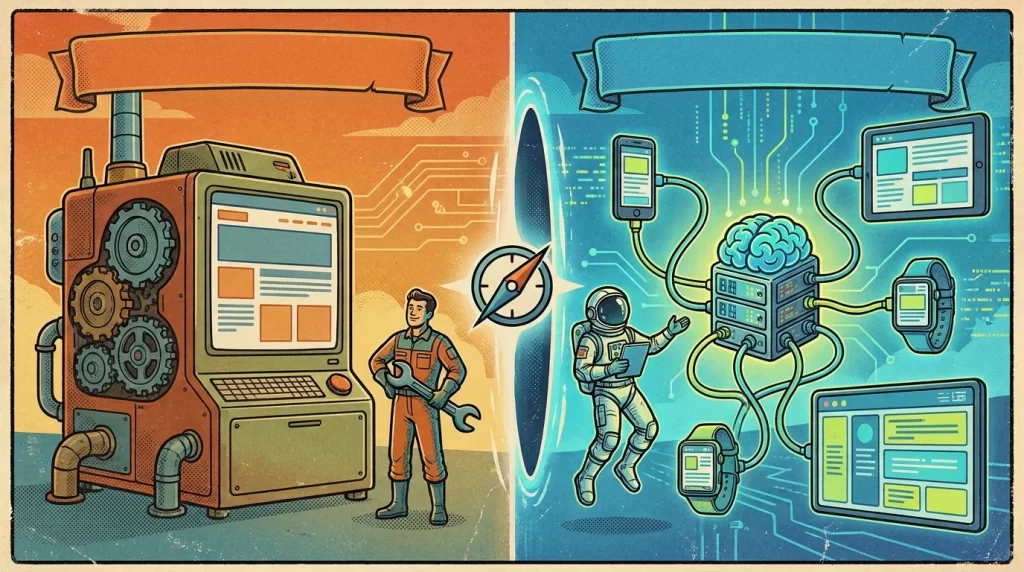
A traditional CMS brings content management and website presentation together. Editors create pages in an administrative interface, while themes or templates determine how those pages appear. WordPress used with its theme system is a familiar example. The platform typically handles page routing, rendering, and much of the publishing process within one environment.
A headless CMS separates content storage and editing from the presentation layer. It delivers content through APIs, while developers build the website, application, or other interface separately. One content source can therefore serve several destinations without depending on a single website theme.
These categories are not rigid product labels. WordPress can also operate as a headless backend, and some platforms support both integrated pages and API delivery. Evaluate the proposed implementation rather than assuming a product name determines the architecture. The central question is who controls presentation: the CMS itself, or a separate application maintained by your development team?
2. Start With Your Editors and Publishing Workflow
For many businesses, editorial usability matters more than frontend technology. A marketing team publishing landing pages every week needs reliable previews, reusable components, scheduling, and clear approval permissions. A technically impressive architecture becomes a bottleneck if every layout adjustment requires a developer.
Traditional systems often provide a more integrated editing experience because the editor and website share the same presentation model. However, page builders and plugins vary considerably in usability. Test realistic tasks rather than judging an interface from a product demonstration.
Headless systems can offer excellent structured editing, but visual previews and flexible page composition may need additional implementation. Editors should understand whether they are creating reusable content entries or assembling complete pages.
Before choosing, ask your team to complete three tasks: update a service page, schedule a campaign, and preview an unpublished change. Check how permissions, translations, and accessibility requirements fit those workflows. Choose the setup that makes routine publishing predictable without granting unnecessary technical access.
3. Match Content Delivery to Your Actual Channels
Headless architecture becomes especially useful when the same information must appear across genuinely different products. A retailer might reuse product guidance in a website and mobile app. A software business might distribute help content through its public documentation and an authenticated customer portal.
That reuse depends on thoughtful content modeling. Separate a service description, price disclaimer, and contact action into meaningful fields instead of storing everything inside one large formatted block. Otherwise, multiple channels may inherit content that is difficult to adapt or display consistently.
A traditional CMS is often sufficient when your primary channel is one marketing website with familiar page types. Building a separate frontend solely because an app might exist someday can add complexity without delivering immediate value.
If mobile delivery is part of your roadmap, distinguish content architecture from application strategy. Our guide to progressive web apps versus native apps explores that separate decision. Validate concrete publishing needs before investing in multichannel infrastructure.
4. Compare Performance, SEO, and Security Responsibilities
Neither architecture guarantees a fast or search-friendly website. A traditional CMS can perform well with efficient templates, caching, optimized images, and restrained plugin use. A headless frontend can still be slow if it ships excessive JavaScript or fetches essential content inefficiently.
For SEO, define implementation requirements explicitly: crawlable content, metadata, canonical URLs, XML sitemaps, redirects, and appropriate structured data. Headless projects need a deliberate rendering strategy so important content is available reliably to search engines and users. Preview environments also need protection from unintended indexing.
Security responsibilities change rather than disappear. Separating the public frontend from the CMS can reduce direct exposure of the editing environment, but APIs, access tokens, dependencies, and preview endpoints still require protection. Traditional systems need careful attention to extensions, updates, permissions, and hosting configuration.
Ask who owns monitoring, backups, patching, and incident response for every component. A simpler architecture with clear ownership may be safer and faster than a sophisticated setup nobody actively maintains.
5. Calculate Total Cost, Not Just Platform Pricing
Subscription fees and hosting quotes reveal only part of the cost. Compare initial implementation, content modeling, design integration, migration, editor training, maintenance, and future feature development. Include the cost of keeping previews, search, forms, analytics, and consent tooling working across the complete stack.
A traditional CMS may offer a lower-complexity route for a straightforward business website because common publishing features are already integrated. That advantage can shrink when many extensions require overlapping configuration or custom compatibility work.
Headless projects typically introduce separate frontend development and deployment responsibilities. Depending on the platform, usage limits for API requests, content entries, users, or bandwidth may also affect ongoing costs. Review actual contract terms rather than assuming every provider prices the same way.
Build a realistic ownership plan covering launch and ongoing operations. List each service, its owner, recurring charges, and likely change requests. Then estimate how your team would handle a new language, campaign template, or website redesign. Maintainability should influence the budget alongside launch requirements.
6. Use Business Scenarios to Make the Decision
A professional services company with one website, a small editorial team, and standard lead-generation pages will often benefit from a traditional CMS. It can keep publishing and maintenance within a cohesive environment while leaving room for custom design and integrations.
A business operating several digital products may have stronger reasons to choose headless. Shared content, different release schedules, and distinct frontend requirements can justify separating the content platform from delivery applications. That choice works best when developers can support the integration over time.
Some organizations need a hybrid approach: integrated editing for the main website and APIs for selected applications. This can preserve familiar workflows without rebuilding everything around a fully separated stack.
Score each option against your actual requirements: editorial independence, channel reuse, integration complexity, technical ownership, and budget. Treat mandatory requirements differently from preferences. If editors need visual page building immediately, for example, do not choose a solution that only promises to add it later.
7. Validate the Architecture Before Committing to Migration
Start with a small proof of concept using representative content, not placeholder text. Include a complex landing page, a translated entry, an image-heavy article, and any restricted content your business needs. Test publishing, previewing, redirects, accessibility, and performance before expanding the implementation.
Inventory existing URLs, metadata, media, integrations, and content relationships. Decide what to migrate, consolidate, or retire. Preserve valuable URLs where practical and create a redirect plan for changes. Confirm that historical content remains editable after migration rather than merely appearing correctly at launch.
Also test dependencies beyond the CMS. Search quality, for instance, depends on indexing and retrieval decisions; our comparison of AI-powered search and traditional site search explains those trade-offs.
At Codeopera, we design and build custom websites, apps, and AI solutions around business needs. The right CMS architecture should support your next stage of growth while remaining practical for the people who publish, develop, and maintain it every day.