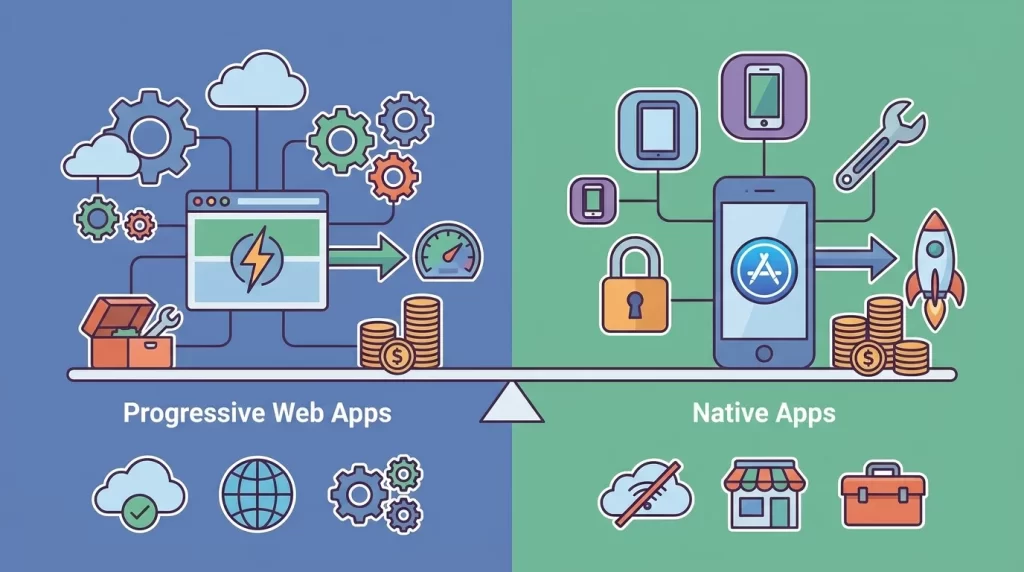
Choosing between a progressive web app and a native app affects how customers discover your service, what features you can deliver, and how you maintain the product. The progressive web app vs native app decision should start with your users’ tasks and business goals—not assumptions that one technology is always better.
1. Understand What You Are Actually Building
A progressive web app, or PWA, is a web application enhanced with capabilities such as installation, caching, and, where supported, push notifications. People access it through a browser, and supported devices let them add it to their home screen. A web app manifest provides installation metadata, while service workers can support offline behavior and background functionality.
A native app is built for a particular operating system, typically using its platform tools and interfaces. It can integrate deeply with device hardware, operating-system services, and platform-specific interaction patterns. Distribution usually happens through app stores, although other routes exist.
There is also a middle ground: cross-platform frameworks can share substantial application code while delivering apps for iOS and Android. These are not PWAs, and their capabilities depend on the framework and available native integrations. Compare realistic implementation options rather than assuming the choice is simply one website versus two completely separate apps.
2. Compare Discovery, Installation, and Customer Reach
A PWA is useful when customers should reach a service immediately from search results, an email, a QR code, or a shared link. Someone booking an appointment can open the relevant page without visiting an app store first. Public, crawlable pages can also support organic search visibility, provided the website’s rendering and technical SEO are implemented properly.
Native apps add a download step, but store listings can support discovery, ratings, and customer confidence. Installation may be worthwhile when people return frequently and want a persistent place for the service on their phone. Loyalty programs, banking tools, and daily productivity products often fit this pattern, although the use case alone does not dictate the technology.
Consider your acquisition journey carefully. An occasional customer may abandon a mandatory installation, while an existing subscriber may welcome it. Neither approach guarantees retention: the product still needs to make repeat visits useful and straightforward.
3. Match Performance and Device Features to Real Tasks
For dashboards, booking systems, catalogs, and many customer portals, a well-engineered PWA can deliver responsive interactions. Performance depends on implementation: oversized JavaScript bundles, slow APIs, and poorly optimized images can undermine either an app-like experience or a conventional website. Our guide to improving Core Web Vitals covers important web performance foundations.
Native development generally offers more direct access to platform capabilities and finer control over demanding experiences. Advanced camera processing, sustained sensor use, complex graphics, and specialized Bluetooth workflows may favor a native approach. However, “native” does not automatically mean fast, and modern browsers support many useful device features.
Create a capability checklist before deciding. Name the exact feature, required devices, acceptable latency, and behavior when permission is denied. Then test a small prototype on representative hardware. Browser support varies across operating systems and versions, so a feature working on one Android device does not establish that it will work equally well everywhere.
4. Plan Offline Access, Notifications, and Background Work
Both approaches can support offline experiences, but neither makes them automatic. A PWA can cache its interface and selected data through service workers and browser storage. Native apps can also store data locally. In both cases, developers must define what remains available, how edits are queued, and what happens when offline changes conflict with server data.
Consider a field-service team recording inspections. Viewing a previously loaded checklist is simpler than capturing photos, saving edits reliably, and synchronizing everything later. Storage limits, connectivity interruptions, and shared-device behavior all deserve testing. Browser-managed storage may also be evicted under certain conditions, making critical offline workflows especially important to validate.
Notifications and background execution require similar care. Web push depends on browser support, permissions, and platform rules; on iOS, it is available to supported web apps added to the Home Screen. Native apps also face permission requirements and background restrictions, but generally have broader platform integration options. Test the exact workflow rather than relying on a feature label.
5. Compare Lifetime Cost, Not Just the First Release
A PWA can simplify delivery when one web application serves desktop and mobile users. Teams can usually publish application updates without waiting for app-store review. However, service-worker updates, cached assets, and older open sessions still need careful handling. A single deployment does not eliminate testing across browsers, screen sizes, and devices.
Native delivery introduces platform-specific builds, store submissions, release management, and operating-system compatibility work. Cross-platform development can reduce duplication, but it does not remove device testing or native integration maintenance. Backend services, authentication, analytics, and support remain necessary whichever interface you choose.
Ask for estimates that separate initial development from ongoing ownership. Include accessibility, security updates, monitoring, quality assurance, and future integrations. A simple PWA may cost less than a feature-rich native product, but that comparison says little without matching requirements. Codeopera’s guide to custom web application development costs explains the scope decisions that shape a realistic budget.
6. Evaluate Security and Operational Requirements
Neither delivery model is inherently secure enough simply because of its label. Both require appropriate authentication, authorization, encrypted connections, secure backend APIs, and a plan for handling vulnerabilities. Sensitive information should not be cached or stored locally without a clear need and suitable protections. Logging and analytics also need careful data handling.
Native apps can use platform security capabilities, including protected credential storage and biometric authentication interfaces. Web applications also have strong security mechanisms, including browser sandboxing and support for passkeys where available. The right architecture depends on your threat model, devices, and operational requirements—not a blanket claim that apps are safer than websites.
For employee-facing tools, check device management, account revocation, and shared-device policies. For customer products, examine account recovery and session expiration. If you handle regulated or particularly sensitive information, involve qualified security and compliance specialists early. Choosing native development does not automatically satisfy those obligations, just as choosing a PWA does not automatically prevent compliance.
7. Choose Through a Small, Measurable Pilot
Favor a PWA when broad access, shareable links, search visibility, and a unified web experience are central to the product. A service business offering booking and account management may gain little from requiring an installation. Favor native development when validated requirements depend on deeper platform integration, demanding device workflows, or an app-store-centered customer experience.
If the answer remains unclear, prototype the riskiest requirement first. For a delivery tool, that might be background location behavior. For an ordering portal, it might be checkout completion on slower mobile connections. Define success through task completion, responsiveness, reliability, and user feedback rather than installation counts alone.
A staged approach can preserve flexibility: validate demand through a web product, then add native apps if evidence supports them. Plan reusable backend services without overengineering the first release. Our MVP development guide explains this validation process. Codeopera can help translate those findings into a focused development roadmap that matches your users, budget, and business priorities.